Home Entertainment Network
Daily, digital entertainment devices such as TV, laptop, cellphone or any personal devices can help to chill you down from many problems in life from work to wife. Now have a look at devices you have in your house: TV, DVD player, set-top-box, game console, speakers, smartphones, tablet, laptop… wow quite a lot, and those are still not all of them. In order to make them in use, we need to ‘wire’ them physically. And with the revolution of ‘Internet of thing’, we have even more choices to connect devices e.g ethernet cable, wireless signal…
Have you ever wondered how many types of cables you can use to wire your devices? Or how you can make your home entertainment devices ‘communicate’ over home network? Connecting your devices together doesn’t only mean make them in use, but also let them ‘communicate’ openly to share contents or easily switch transceivers in the same network e.g playing music on PCs to any speakers in the house, using one TV for DVD player, game console etc…
Nowadays, those features are no longer fictional. There are many technologies support them which we can implement via couples of ways:
- Direct connection.
- Network connection.
- Receiver
Direct connection
Use cables! Yes, but which one?
Coaxial or RF: used for antennas, cable and satelline STBs, TV, ethenet and VCRs etc…
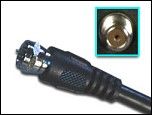 </img>
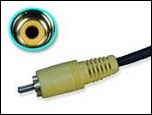
Composite: typically used to transfer standard analog video signals. Not used for HDTV and digital videos. I guess some of us are missing this guy e.g video tape, cd player etc… and yes, of course, NES (Famicom), oh my childhood.
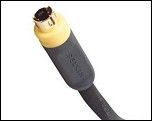
S-Video: a better choice over standard composite video cables for delivering a better standard video picture. I myself have never used this cable. However according to HP’s post this is a better standard than composite, but it is not a big due since HD is more ‘delightsome’.
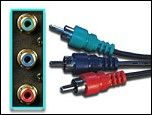
Component: support HD video signals (greater than 480i). Used by HDTV, DVD player. This guy is as famous as composite, the first HD path of world.
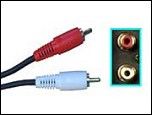
RCA stereo audio: transfer audio signal, used for most TVs, VCRs, videodisc players, game console…. This may be the most seen cable because before HDMI it is the main sound solution.
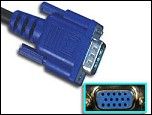
VGA: used to transfer analog video signals in various VGA compatible analog display resolutions. . Primarily used for PCs, TVs, game consoles…
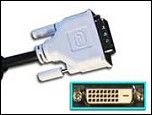
DVI: used to transfer high definition digital video signals without audio. This standard has much better quality than VGA. And in my own opinion, it’s even better than HDMI except that it does not support audio transmission. Three main types: DVI-D (digital video signal with HD), DVI-A (analog video signal only), DVI-I (the best of both world for analog and digital).
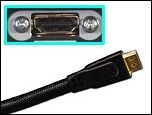
HDMI: used to transfer both high definition digital video and audio signals. Ideal for HDTV, game console, DVD Blueray players etc… most of modern devices today.
You can read more about cables in HP’s post. Most of cables information in this post is referenced from it.
Network connection
Nowaday, as the revolution of Internet of thing, most of our devices have ability to connect to a network. Some devices even have ability to connect to cloud-base services of its provider embedded. If we can take advantage of this connection, we can ‘wire’ our devices using IP-based network. So that we can get rid of bundle connectors, instead just use Ethernet or Wifi. However, in order to make them really recorgnize each other, there will be a lot of things to do.
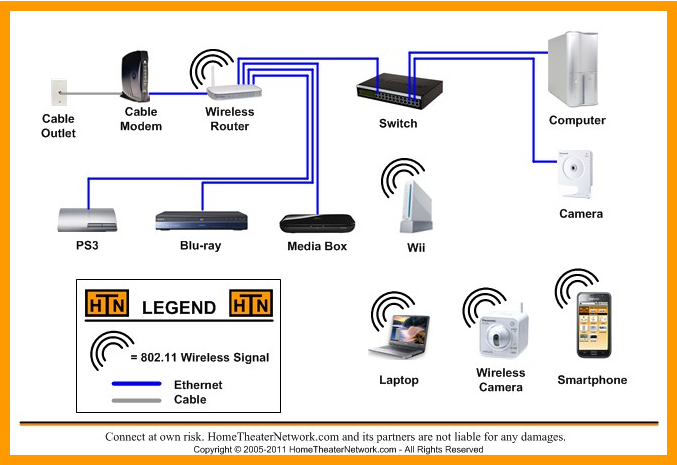
Thus, when we put two devices into one network, they have connection to Internet or some cloud services. However, in order to recorgnize and get benefit of each other, they will need to know the partner’s functions and how to invoke them. In another word, what they need is an API, a standard protocol, a driver etc… Whatever we call it, their goal is only to provide a central interface which anyone can use to control the devices. There are two quite famous protocols which have been adopted in many home entertainment devices, DLNA and UPnP.
UPnP and DLNA
Both DLNA and UPnP have the same capability of supporting devices connected in the same network zone (e.g home, office) recognize each other to send and play media (e.g video, audio, photo…). They offer peer-to-peer network connectivity of devices. The infrastructure created by these technologies is independent to devices, media, and platform. So that it’s flexible to add new devices and easy to scale the size of the network. Any devices which want to achieve these certificates need to implement their set of protocols, and sastify specific testing process. Today, we can easily find UPnP or DLNA sign on many electronic devices e.g TV, DVD/Blueray players, game console, Laptop, smartphones etc…
UPnP
UPnP is a protocol set. It is formed in October 1999. Because of its soon release, UPnP is more mature than other descendant. Consequently, it is supported by more devices. However, UPnP does not perform media verification. In another word, it can not guarantee the media to be played by receiver after transmitting.
DLNA
DLNA is a descendant of UPnP. Although it has a smaller number of supported devices, DLNA is very popular in modern devices. Building on top of DLNA, UPnP has the same feature of connecting devices sharing data seamlessly. Moreover, it covers UPnP missings by providing content verification. It only allows recoginized format shared among the network. By that way, it can ensure the shared file able to be played at the receiver.
Airplay vs Chrome Cast
These two technologies are developed by two big guys Apple and Google. They allow streaming content among supported devices.
Airplay

- Support most modern iOS and OS X devices.
- Built-in modern Apple devices or through appleTV.
- Certified 3rd party hardware.
- Can stream device to device, share the bigger screen for gaming, mirroring etc…
- Supported services: Netflix, YouTube, Hulu Plus, HBO GO, Pandora, Spotify…
Chrome Cast

- Support Android, Chome OS, Windows, OS X devices.
- Only provided via Chromecast, a small USB-standard device, at the moment. However, it is promised to be implemented on Google devices in the future.
- Can only stream (supported) cloud services only.
- Supported services: Netflix, Youtube.
- Can only mirror contents on chrome browser.
Receiver
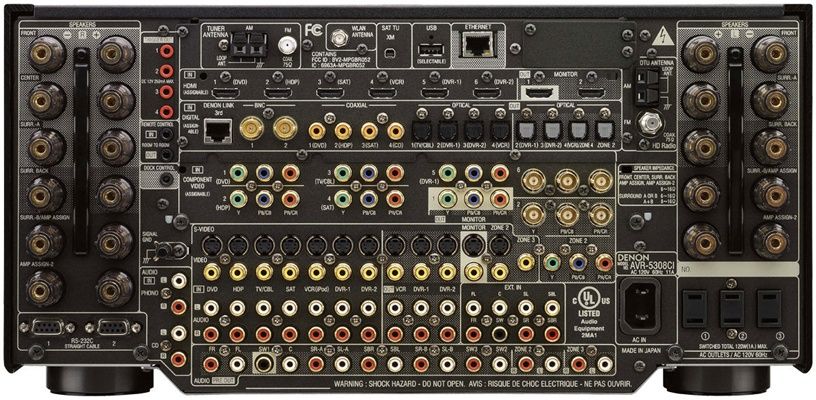
Last but not leat, Receiver is a powerful device which provides multiple inputs to easily connect all the devices (with most of connector types) to one central control. It seems to be the most powerful ‘all-in-one’ solution for home entertainment network. It can connects many inputs to many output. Furthermore, It offers ability to switch between the numerous audio/video inputs in the same entertainment network to a specific output. The receiver can also amplify audio signals to a set of surround sound speakers as well. In some luxury models, receiver can connect internet support some connective standard such as Airplay, and some cloud media provider such as Spotify, Pandora…
And this is how everything fits in your house. Interesting hah!!!
Conclusion
This is the end for today. In fact, we still have many ways to create a small entertainment network at home or office. Methods mentioned above are common ones. This post is just a note of what I have known so far. It’s exciting to know that, nowadays, we have all cappabilities to build a home entertainment network which allows sharing data among devices freely. Moreover, we can control all the transfers in one place, and dynamically switch input as well as select output at our need. How do you feel about it? Are you eager to work for better money?